For most B2B companies, Google Ads vs LinkedIn Ads is a question of order: start with Google Ads when buyers search for what you sell, and add LinkedIn once you know what a qualified lead costs and is worth. Start with LinkedIn when nobody searches for the category yet.
Most comparisons quote cost-per-click ranges from unnamed accounts. This one sticks to what each platform documents, what each charges you for, and how to judge both channels on the leads your sales team actually qualifies.
Should a B2B company start with Google Ads or LinkedIn Ads?
Most B2B companies should start with Google Ads. Our published sequence is “Google first, because intent makes it cheaper to prove the funnel works,” then LinkedIn “once you know what a qualified lead costs and what it’s worth.” It’s the same sequence behind how we run Google Ads and LinkedIn together for B2B.
The reasoning comes down to what each platform sells you. Google Ads captures demand that already exists, because someone has typed the problem into a search box. LinkedIn lets you target people by traits such as job title, company name, industry and seniority, whether or not they’re looking for anything today. One buys intent. The other buys fit.
That gives LinkedIn one clear first-place case: a category so new that nobody searches for it yet. Find your own situation in this table.
| Your situation | Start with | Why | Add the other channel when |
|---|---|---|---|
| Buyers already search for what you sell | Google Ads | It captures demand that already exists | You know what a qualified lead costs and what it’s worth |
| The category is so new that nobody searches for it | LinkedIn Ads | Targeting by company, industry and seniority doesn’t depend on a search | People start searching for the category |
| Your total budget is near $1,000 a month | Google Ads | LinkedIn needs meaningfully more budget than Google | The budget grows |
| Deals are large and you have a precise list of target companies | Google Ads, with LinkedIn company targeting planned second | LinkedIn is expensive per click and frequently worth it at larger deal sizes | The first channel is producing predictably |
| Your sales team can’t follow up within a day | Neither yet | Paid traffic is the wrong thing to fix first | Follow-up is fixed |
The last row matters more than it looks. Response speed changes outcomes more than most campaign optimization does, so no channel decision can rescue leads that wait days for a reply.
What are you actually paying to reach on each platform?
On Google Ads you pay to reach a search. On LinkedIn you pay to reach a profile. That difference decides how each channel goes wrong, and what you control to stop it.
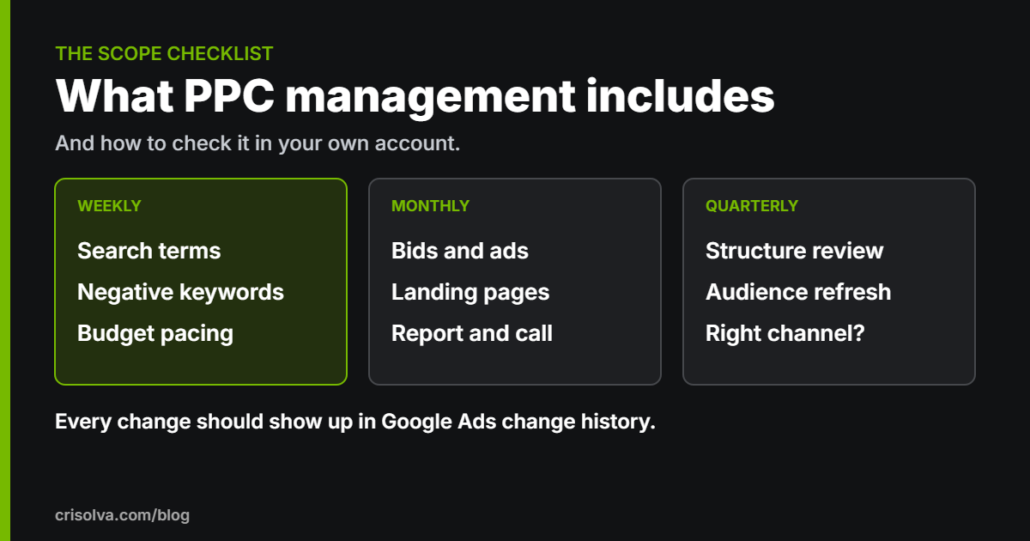
Google matches your ads to search terms. Google defines a search term as the word or set of words a person enters when searching, while a keyword is what you add to the ad group. The gap between the two is where budgets leak, because people who will never buy can type the same words as people who will. That’s why the search terms we review every week matter more than the keyword list.
You can bring your own company data into Google too. Customer Match uses your online and offline customer data to reach and re-engage customers on Search, the Shopping tab, YouTube, Gmail and Display. For audience segments on Search, Google recommends the Observation setting for all Search campaigns, because Observation doesn’t restrict reach the way Targeting does.
LinkedIn starts from the profile and builds out. Its Matched Audiences add company targeting for account-based campaigns, contact targeting from an uploaded list or a connected contact platform, and retargeting based on actions people took with your brand.
Two rules shape how we target on LinkedIn. We use job function and seniority rather than job title, because titles vary wildly between companies. And we build the exclusions first: existing customers (unless the campaign is for expansion), competitors and job seekers. Exclusion lists are usually the fastest improvement available in lead quality.
How much budget does LinkedIn need compared with Google?
LinkedIn needs meaningfully more budget than Google, because costs per click are higher and you need enough conversions to learn anything. If your total budget is near $1,000 a month, put it into Google and revisit LinkedIn when the budget grows.
LinkedIn does publish a floor. LinkedIn’s minimum daily budget is $10 for any ad format, and new campaigns with a lifetime budget need at least $100. Treat that as the price of entry, not a test budget. The minimum lets a campaign run; it doesn’t promise enough conversions to judge the channel.
LinkedIn also charges in more ways than Google’s search ads. LinkedIn’s API documentation lists three bid types: cost per thousand impressions (CPM), cost per click (CPC) and cost per view for video ads (CPV). Check which one a campaign uses before you compare its costs with Google’s cost per click.
You won’t find a cost-per-lead benchmark here, on purpose. LinkedIn cost per lead varies too widely by industry and deal size for a single number to be honest, so we’d rather benchmark against your own numbers after a month. Management fees don’t change with the split either: we charge one fee for one channel or both.
How do you compare Google Ads and LinkedIn Ads fairly?
You compare LinkedIn Ads vs Google Ads for B2B on what happens after the lead: qualified leads, opportunities and closed deals in your CRM. Cost per lead from each platform is the wrong yardstick, because neither platform can see what your sales team decides.
At Crisolva, we split a B2B funnel into five stages: click, lead, qualified lead, opportunity and closed won. The ad platform can only see the first two. Everything that decides whether a channel deserves more money lives in your CRM, which is why we connect the two before optimizing anything.
These three steps make the comparison fair:
- Match the conversion window to your sales cycle. A conversion window is the period after an ad interaction in which a conversion is recorded. Google Ads’ default is 30 days, and it can be set from 1 to 90 days depending on the conversion source. Google suggests checking the time lag report to see how long conversions really take, then setting the window at least that long.
- Send CRM outcomes back to Google. Offline conversion import records sales that happen after the click: you save the Google Click ID (GCLID) with the lead and send the conversion back when the deal closes. Enhanced conversions for leads is Google’s upgraded version, adding hashed first-party data such as email addresses to improve accuracy.
- Score LinkedIn leads in the same CRM stages. Whether a lead came from a LinkedIn form or a landing page, it gets the same qualified, opportunity and closed-won labels as a Google lead, or the comparison means nothing.
The window matters most when sales cycles are long. As we put it on our B2B page, “a three-month sales cycle measured on a thirty-day window will consistently under-credit the campaigns that start conversations and over-credit the ones that close them.”
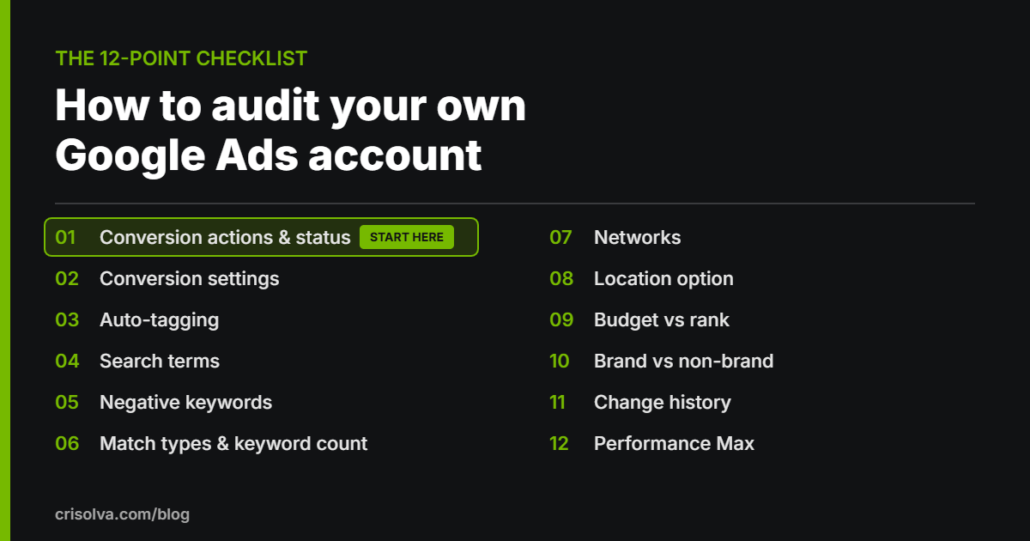
Expect one counterintuitive result. Tightening targeting removes cheap, unqualified leads first, so average cost per lead can rise while pipeline improves. And before you compare anything, check that your conversion tracking is right.
If you’re not sure your current account can tell a qualified lead from a form fill, a free Google Ads audit will check the tracking and the targeting first.
When should you run both at once?
Run both only once the first channel is producing predictably. Running both badly from day one is the expensive version, because neither channel gets enough budget to generate the conversion data that makes optimization possible.
Once Google is predictable, LinkedIn Ads for B2B lead generation add something search can’t: a message in front of the right companies before anyone there types a search. That’s the point to plan the format. LinkedIn Lead Gen Forms come pre-filled with profile information such as name, company name, job title and seniority, and the leads can be passed to your CRM or marketing automation platform.
Forms convert better because fields pre-fill and nobody leaves the app. Landing pages qualify better because the extra effort filters out casual interest. Run forms when you need volume to learn from, and landing pages when sales capacity is the constraint.
Whichever you choose, report both channels against the same CRM stages in one place. Budget should move toward qualified pipeline, not toward whichever platform reports the cheapest leads.
When is neither channel the right fix?
Neither channel is the right fix when the problem sits after the click. Settle these before you choose a platform:
- Your sales team can’t respond to a lead within a day. In that case, paid advertising is the wrong thing to fix first.
- Nobody can say what a qualified lead looks like. A qualified lead has to be recorded in the CRM consistently, or there’s nothing to optimize against.
- Your total ad budget is under $1,000 a month. That’s our minimum, because below it you won’t gather enough data to optimize properly. At that level, spend the money on the landing page and follow-up speed instead.
Fix those and any of your B2B paid advertising channels has something to work with. Skip them, and the Google Ads vs LinkedIn Ads question doesn’t matter yet.
Google Ads vs LinkedIn Ads: FAQs
Is LinkedIn Ads worth it for a small B2B company?
It can be, once the budget allows. LinkedIn’s minimum daily budget is $10, but Crisolva’s view is that LinkedIn needs meaningfully more budget than Google, because clicks cost more and you need enough conversions to learn anything. If your total budget is near $1,000 a month, put it into Google Ads first.
How do you reach specific companies with Google Ads?
Use your own customer data. Customer Match lets you use online and offline customer data to reach and re-engage customers on Search, the Shopping tab, YouTube, Gmail and Display. For audience segments on Search campaigns, Google recommends the Observation setting, which doesn’t restrict reach the way the Targeting setting does.
What conversion window should a B2B account use?
One at least as long as your buyers take. Google Ads’ default conversion window is 30 days, and you can set it anywhere from 1 to 90 days depending on the conversion source. Google suggests checking the time lag report to see how long conversions take after an ad interaction, then setting the window to cover it.
How do you get CRM results back into Google Ads?
Use offline conversion import. Save the Google Click ID (GCLID) with each lead, then send the conversion back to Google Ads when the sale happens. Google describes enhanced conversions for leads as an upgraded version that adds hashed first-party data, such as email addresses, to imported conversions to improve accuracy.
Sources
- LinkedIn, “Ad Targeting with LinkedIn Ads”, LinkedIn Marketing Solutions, undated (accessed October 20, 2026)
- LinkedIn, “Campaign budgets for your LinkedIn Ads”, LinkedIn Marketing Solutions, undated (accessed October 20, 2026)
- LinkedIn, “Ad Budget Pricing”, LinkedIn Marketing API documentation, 2026 (accessed October 20, 2026)
- LinkedIn, “LinkedIn Lead Gen Forms”, LinkedIn Marketing Solutions, undated (accessed October 20, 2026)
- Google, “About the search terms report”, Google Ads Help, undated (accessed October 20, 2026)
- Google, “About Customer Match”, Google Ads Help, undated (accessed October 20, 2026)
- Google, “About ‘Targeting’ and ‘Observation’ settings”, Google Ads Help, undated (accessed October 20, 2026)
- Google, “About conversion windows”, Google Ads Help, undated (accessed October 20, 2026)
- Google, “About offline conversion imports”, Google Ads Help, undated (accessed October 20, 2026)
Not sure which channel your budget should go to first?
A second pair of eyes can tell you whether your account is ready for a second channel, or whether tracking and targeting need fixing first. Our free Google Ads audit is reviewed by a specialist within 3–5 business days and delivered as a recorded walkthrough or written report covering the top 5–10 findings.
It’s free, there’s no obligation, and the findings are yours to keep either way.